Features
What you can do
Key numbers at a glance
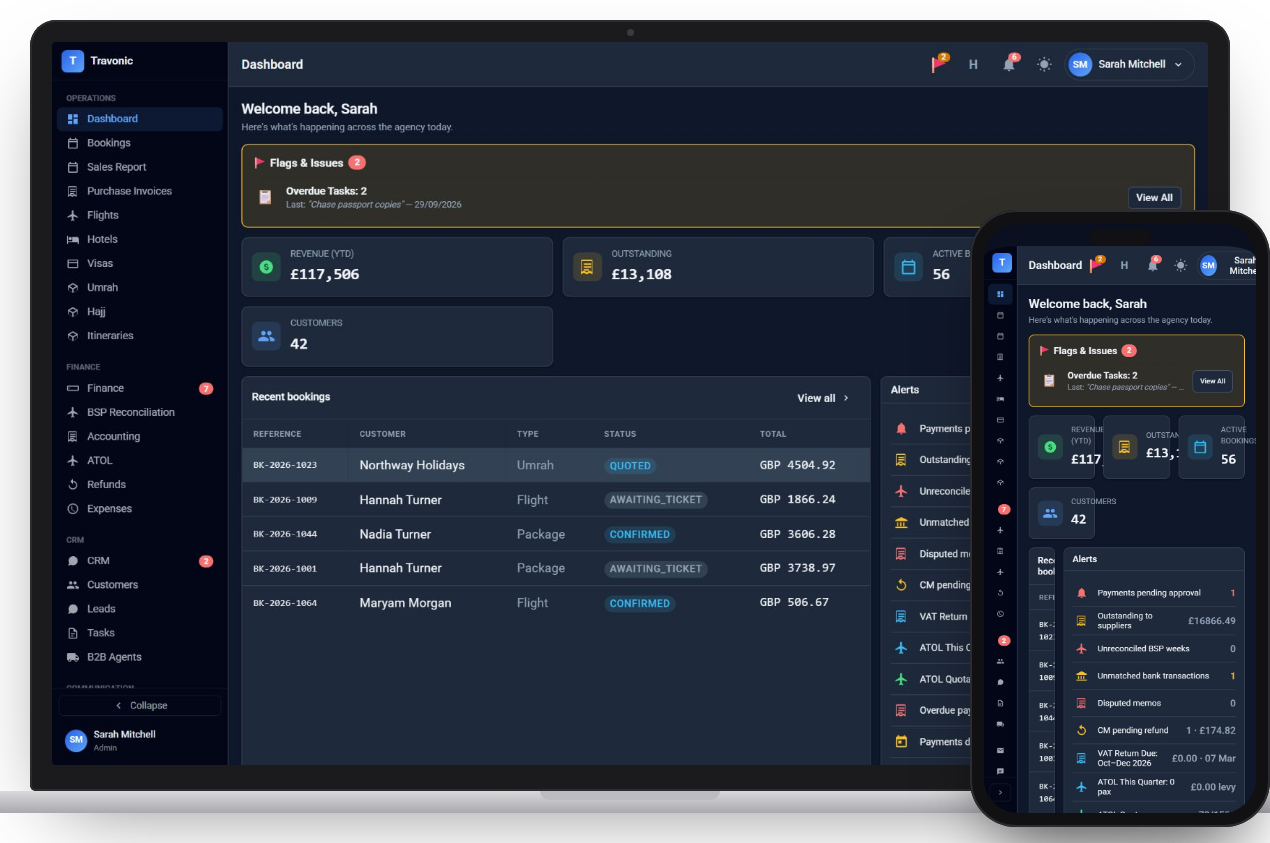
Revenue this year, money outstanding, active bookings and customer count, worked out live from your bookings and payments.
Alerts that need action
Payments awaiting approval, overdue invoices, unmatched bank lines, disputed memos and ATOL quota, each with a count.
Flags and overdue tasks
Anything flagged by a colleague and every overdue task appears at the top until someone deals with it.
Recent bookings
The latest booking files with customer, type, status and value, one click from the full file.
How it works
Dashboard in 4 steps
- Sign in and the dashboard opens first
- Work down the alerts, each one links to the record behind it
- Clear flags and tasks as you go
- Check the numbers again before you leave
FAQ
Questions agencies ask
Anything else? Book a demo and ask us directly.
Are the dashboard figures live?
Yes. They are calculated from your bookings, invoices and payments each time the page loads, so there is nothing to refresh or rebuild.
Can staff see different things?
The dashboard follows each person's role, so finance alerts such as payment approvals go to the people who handle them.
Free demo
See Travonic with your own kind of bookings
A 30-minute walk-through, no obligation.
- Your flights, hotels and packages, not a generic demo
- Questions answered by people who run an agency
- Set-up help when you decide to go ahead