Features
What you can do
Week by week
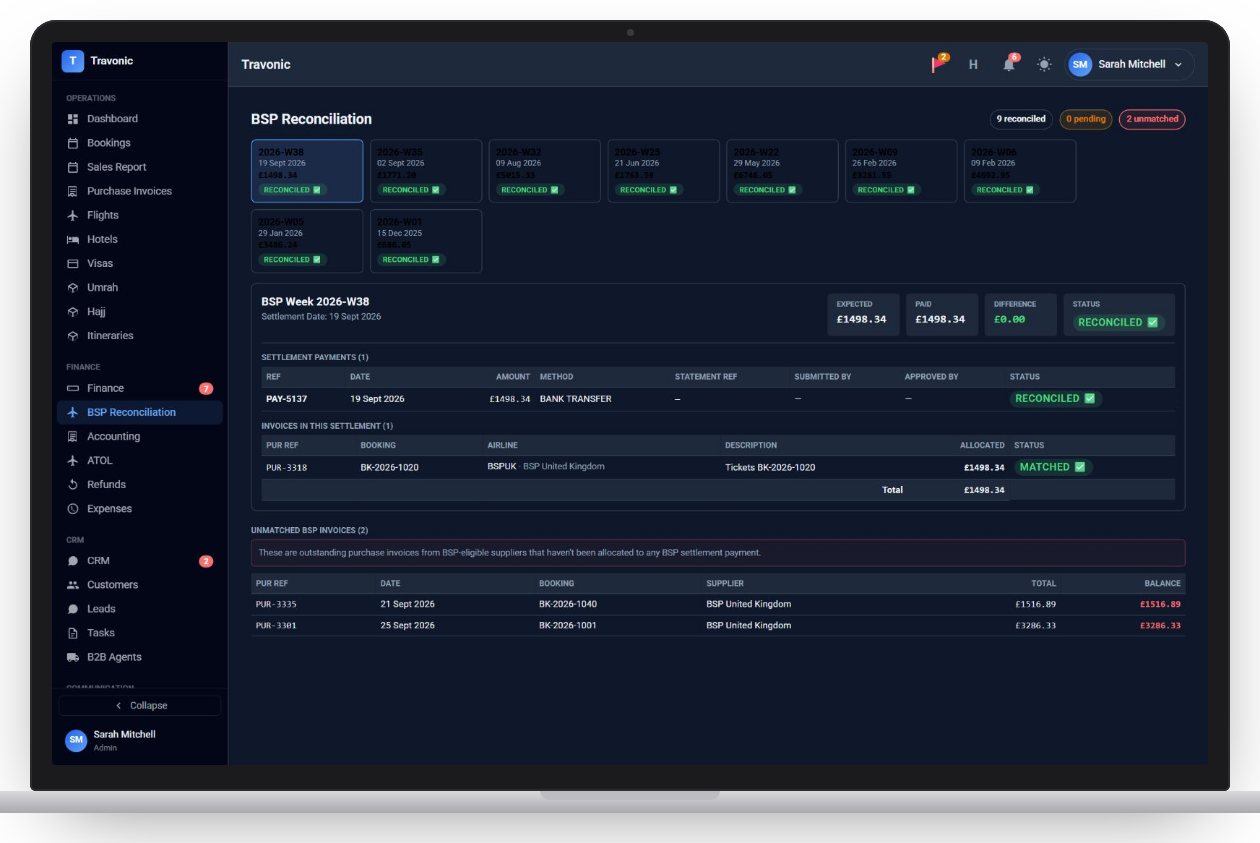
Each settlement week shows expected, paid and the difference.
Matched and unmatched
Settlement payments are listed with the invoices they cover, and anything left over is shown separately.
Flags on the dashboard
Unreconciled BSP weeks appear as an alert until they are cleared.
How it works
BSP reconciliation in 4 steps
- Tickets are issued and invoiced
- The BSP payment is recorded for the week
- Invoices are matched to it
- The week is marked reconciled
FAQ
Questions agencies ask
Anything else? Book a demo and ask us directly.
Does it show tickets that were not settled?
Yes. Supplier invoices from BSP suppliers that have not been allocated to a settlement are listed as unmatched.
Free demo
See Travonic with your own kind of bookings
A 30-minute walk-through, no obligation.
- Your flights, hotels and packages, not a generic demo
- Questions answered by people who run an agency
- Set-up help when you decide to go ahead