Features
What you can do
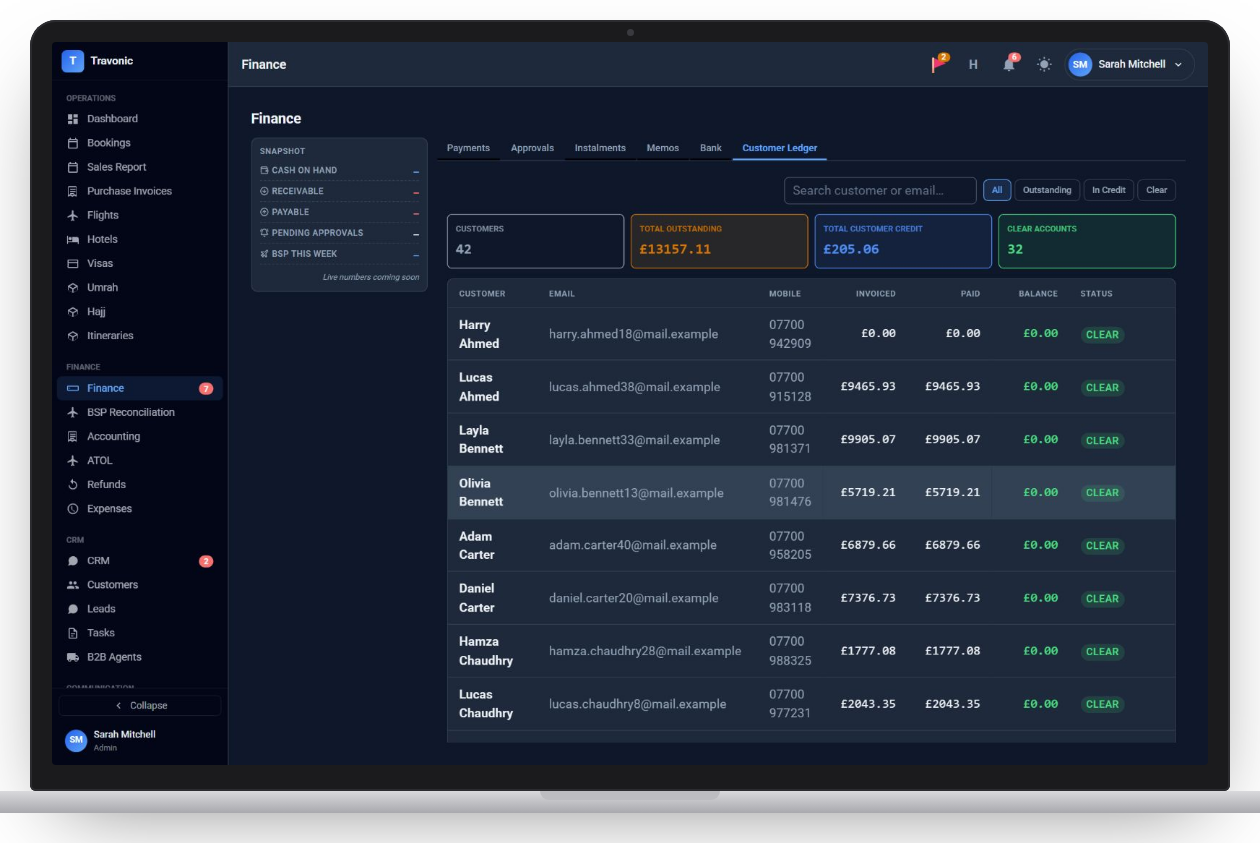
Customer ledger
Invoiced, paid and balance for every customer, with outstanding and in-credit filters.
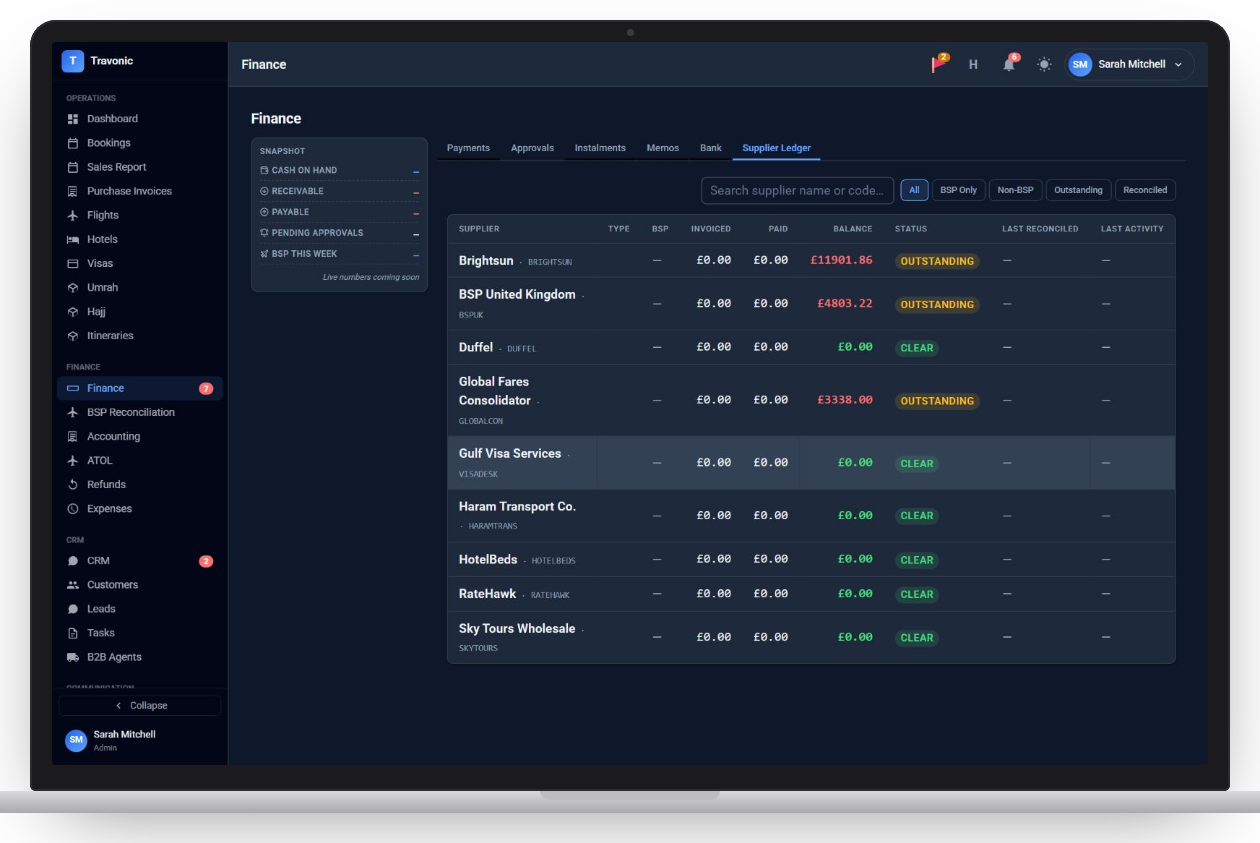
Supplier ledger
What you owe each supplier, BSP and non-BSP, with outstanding balances.
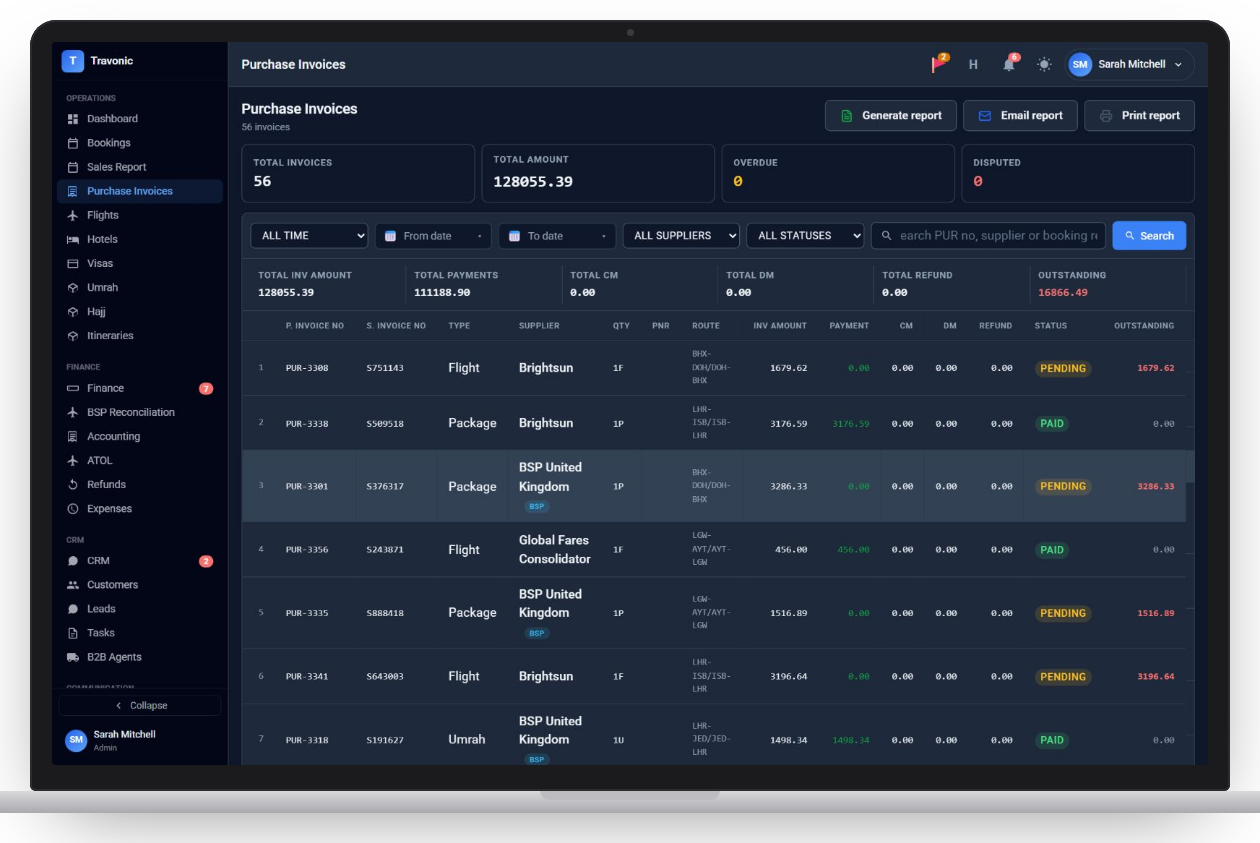
Supplier invoices
Every supplier invoice against its booking, with paid, pending and overdue status.
Bank reconciliation
Import a statement, match lines to payments and reconcile each account.
Chart of accounts and journals
A chart of accounts, manual journals and, if you are VAT-registered, a VAT return.
Accounting reports
Trial balance, aged debtors and aged creditors, ready to export.
Ledgers & supplier invoices
Supplier ledger with outstanding balances
Shown with sample data.
Ledgers & supplier invoices
Supplier invoices with paid and pending amounts
Shown with sample data.
How it works
Ledgers & supplier invoices in 4 steps
- Bookings and payments post to the ledgers
- Supplier invoices are matched to bookings
- Bank lines are matched to payments
- Month end: trial balance and aged debts
FAQ
Questions agencies ask
Anything else? Book a demo and ask us directly.
Do I enter things twice for the accounts?
No. Ledgers are built from the same invoices and payments your team already records on bookings.
Can I reconcile the bank?
Yes. Import a bank statement, match each line to a payment and mark the account reconciled.
Free demo
See Travonic with your own kind of bookings
A 30-minute walk-through, no obligation.
- Your flights, hotels and packages, not a generic demo
- Questions answered by people who run an agency
- Set-up help when you decide to go ahead